
If you have a website, Google Search Console is worth knowing about, whether you have used it before or not. It is a free tool from Google that shows how your website is actually performing in search results: the specific search terms bringing people to your site, how your pages are ranking for those terms, and whether Google can find your content and add it to search results in the first place.
Google recently expanded what the tool can do. Businesses can now connect Instagram, TikTok, X, and YouTube accounts directly to Search Console, giving a new window into how social content shows up in Google Search and Discover. It is a useful update, and we will walk through exactly what it does. But the update itself is not the real story. The real story is that most businesses still treat Search Console as something to set up once and forget about, when it was never designed to work that way.

What Google Search Console Actually Does
Search Console also tells you whether your pages have actually been added to Google’s search results, a process Google calls indexing. Beyond that, it shows which specific keywords are actually driving clicks to your site and how you are ranking for each one, information you cannot get anywhere else. It also flags technical problems, like pages Google was not able to fully read or pages that do not display well on a phone, before those problems start costing you visibility.
Think of it as the direct line between your website and Google. Analytics tools like Google Analytics show you what happens after someone lands on your site. Search Console shows you what happens before that, how Google finds your content, how it interprets it, and whether it is surfacing it to the right searches. It is one of the most direct ways to see how your SEO efforts are actually performing, not just a technical setting to check during a website launch.
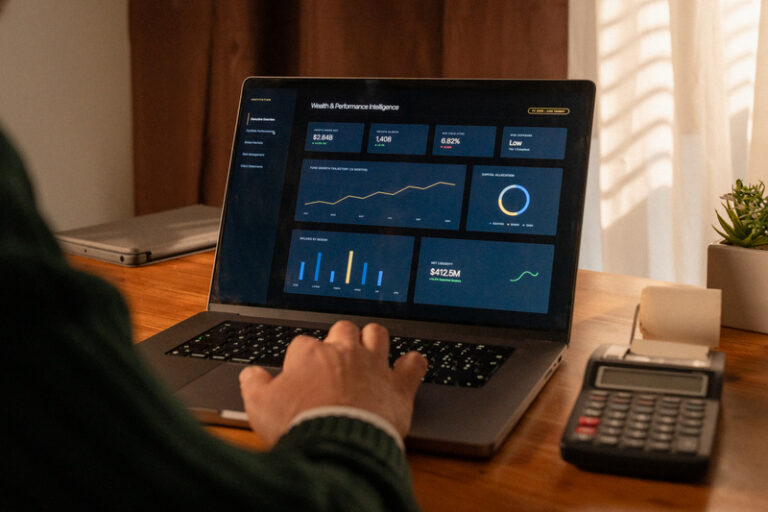
The New Feature: Platform Properties for Social Accounts
Google’s newest addition to Search Console is called platform properties. It allows you to connect an Instagram, TikTok, X, or YouTube account, similar to how you would confirm ownership of a website, except here you simply give Google permission to access the account. Facebook isn’t part of the rollout yet, but if that changes, we’ll be the first to let you know.
Once connected, you get a report showing which search terms are leading people to your posts and videos through Google, not just through the platform’s own app. If a TikTok video is ranking for a specific search term on Google, or an Instagram Reel is showing up in Google Discover, the feed of recommended content Google shows people on their phones, you will be able to see it.
This matters because social content increasingly shows up in Google search results, not just inside the apps themselves. Search Engine Journal’s coverage of the update points out that this feature is available even to creators who don’t have their own websites. Businesses investing time in video and social content have had no reliable way to know whether that content was reaching people through Google search. Platform properties close that gap.

Why Search Console Isn’t a Set-and-Forget Tool
This is where most businesses lose the benefit of having Search Console in the first place. It gets connected during a website launch or SEO setup, and then nobody looks at it again unless something breaks. The problem is that Search Console data typically lags a few days behind what is actually happening on your site, and issues do not wait for a convenient moment to appear. A plugin update can accidentally block a page from showing up in search results. A site migration can quietly drop rankings for pages that were performing well. A technical error can prevent Google from ever finding and reading new content. Many of these issues can be easy to miss if nobody is monitoring Search Console. Without regular monitoring, a business can lose visibility for weeks or months before anyone notices traffic has dropped, and by then it takes longer to diagnose and fix.
What Businesses Should Be Checking Regularly
Search Console covers a lot of ground, but a few areas matter most for ongoing monitoring.
- Indexing status. This shows whether Google has actually added your pages to search results. A page that looks fine to visitors can still be invisible to Google if something is blocking it from being read correctly.
- Search performance. This tracks which searches are actually bringing people to your site, how often your pages are showing up in results, and whether that traffic is trending up or down. It is the clearest signal of whether your SEO efforts are working.
- Core Web Vitals and page experience. This is Google’s way of measuring how fast and stable your website feels to visitors, things like how quickly a page loads and whether elements shift around while it is still loading. A site that slows down after an update can hurt the user experience and may also affect search performance.
- Mobile usability. Since most search traffic happens on mobile devices, any formatting or loading issue on mobile can directly affect visibility.
- Manual actions and security issues. These are rare but serious. A manual action means someone at Google has reviewed your site directly and penalized it for violating their guidelines, which can significantly hurt your visibility.
For businesses actively posting on Instagram, TikTok, X, or YouTube, the new platform properties reports are worth adding to that same regular check. It’s another place performance issues or opportunities can quietly show up unnoticed.

Monitoring Is the Part Most Businesses Skip
Setting up Search Console is not the hard part. Interpreting what it shows you, catching problems early, and acting on the data before it costs you traffic is where most businesses fall short. This is the same principle behind keeping your local visibility structured instead of leaving it to chance: a tool or channel only works if someone is actually watching it.
At BoBella Brands, Search Console monitoring is part of how we manage SEO for our clients. We are watching for indexing issues, tracking performance trends, and making sure nothing slips through unnoticed, so businesses do not have to learn about a problem after it has already affected their visibility.
If you want a clearer picture of how your website and social content are actually performing in Google Search, connect with our SEO services team.